
Hello PSOBB Community.
The Steam Deck or Steam Controller Trackpad is capable of changing your weapons in ONE button press!
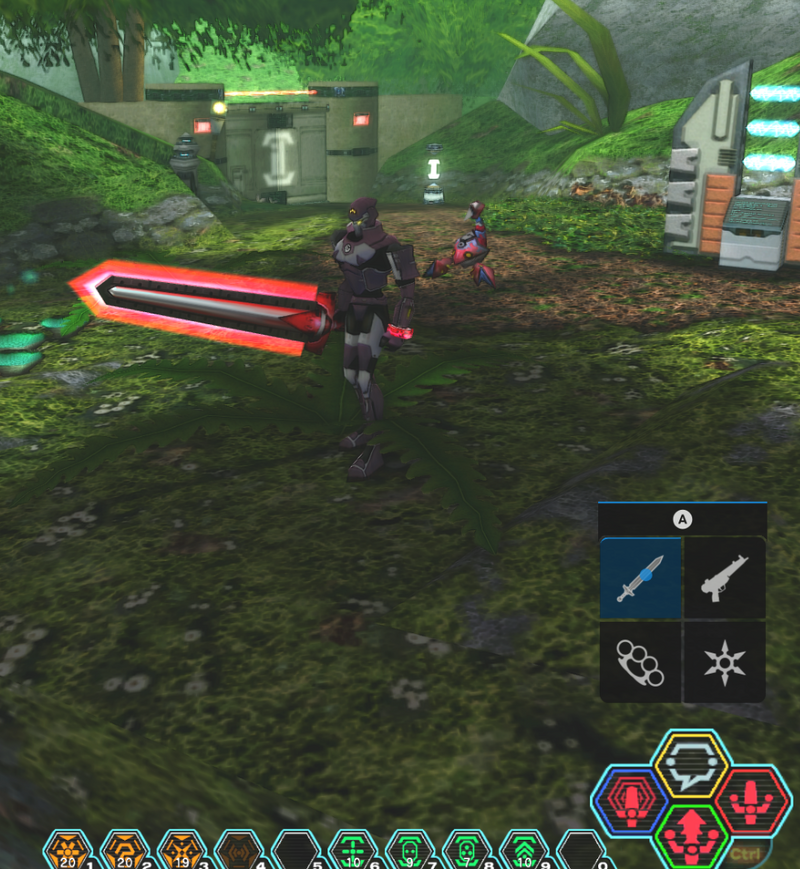
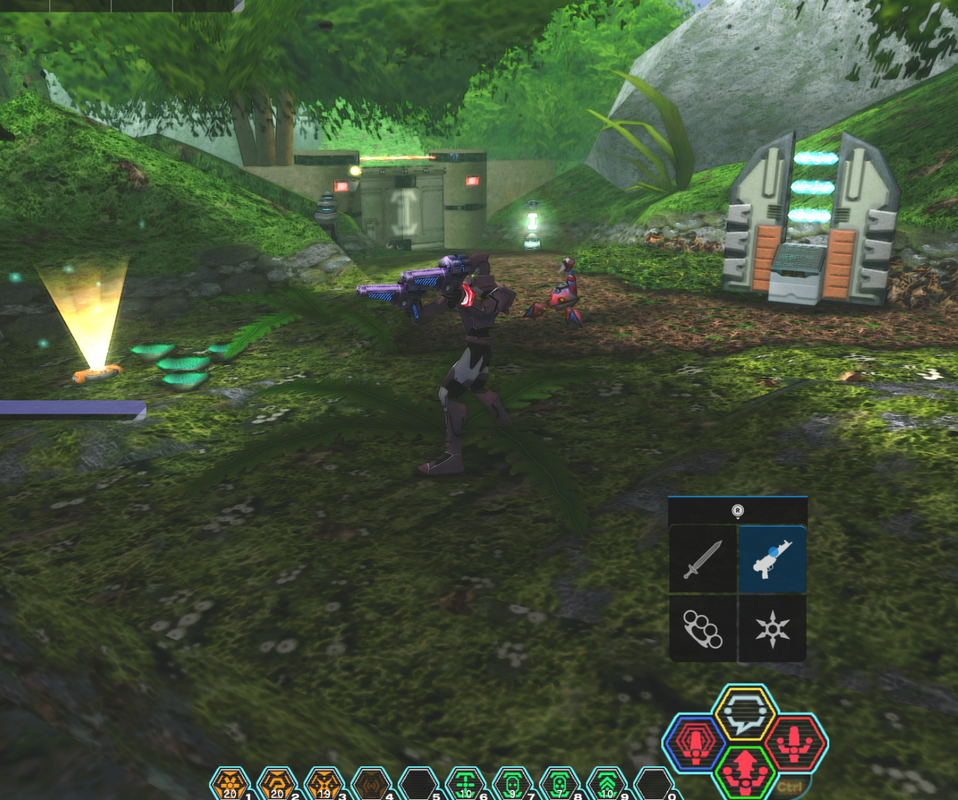
To set this up you must have a Steam controller, or play on Steam Deck.
1. Add non-steam game Ephinea PSOBB to Steam.
2. Right click PSOBB in game list. Select Manage / Controller Layout.
3. Select your "Current Button Layout" Bar.
4. Select "Community Layouts" -Press X to show all layouts.
5. Select "PSOBB (FX) Ver. 3.0"
--- LIMITATIONS ---
- The in game weapon menu only supports up to 5 different weapons as of now.
- The order of weapons in your inventory determines which weapons will be selected. If the inventory order changes, so does the weapon menu.
- Upper left is always inventory slot 1 + 2. - Upper right is always 2 + 3. - Bottom Right is 3+4. - Bottom Left is 5 + Unarmed.
- This is a good starter template to modify as you like. This is not the best or most complete / efficient controller layout. The possibilities for improvement are endless. It's up to you!
--- OTHER FEATURES ---
- L1 brings up Equipment list in one press.
- D-pad can be used for in game chat shortcuts like /bank /map /sit /lobby Etc.
Set in game chat shortcuts (chat / shortcuts / register to any /command) D-pad is already set to Shift + F1-F4 keys. And default directions too. So /commands function in game, and directional inputs function in menus.
- Start Button is set to ALT + Enter to exit and enter Fullscreen
- Select is set to /map
-Action Layer (Hold L2) changes Left/Right Trackpad to Radial menu 1-5 and 6-0
The Steam Deck or Steam Controller Trackpad is capable of changing your weapons in ONE button press!
To set this up you must have a Steam controller, or play on Steam Deck.
1. Add non-steam game Ephinea PSOBB to Steam.
2. Right click PSOBB in game list. Select Manage / Controller Layout.
3. Select your "Current Button Layout" Bar.
4. Select "Community Layouts" -Press X to show all layouts.
5. Select "PSOBB (FX) Ver. 3.0"
--- LIMITATIONS ---
- The in game weapon menu only supports up to 5 different weapons as of now.
- The order of weapons in your inventory determines which weapons will be selected. If the inventory order changes, so does the weapon menu.
- Upper left is always inventory slot 1 + 2. - Upper right is always 2 + 3. - Bottom Right is 3+4. - Bottom Left is 5 + Unarmed.
- This is a good starter template to modify as you like. This is not the best or most complete / efficient controller layout. The possibilities for improvement are endless. It's up to you!
--- OTHER FEATURES ---
- L1 brings up Equipment list in one press.
- D-pad can be used for in game chat shortcuts like /bank /map /sit /lobby Etc.
Set in game chat shortcuts (chat / shortcuts / register to any /command) D-pad is already set to Shift + F1-F4 keys. And default directions too. So /commands function in game, and directional inputs function in menus.
- Start Button is set to ALT + Enter to exit and enter Fullscreen
- Select is set to /map
-Action Layer (Hold L2) changes Left/Right Trackpad to Radial menu 1-5 and 6-0
Last edited: