Simple Clock Addon

MatebaSix

Member
Guildcard
42094596
A simple addon that displays the time.

This addon can display the following:
  • Current date
  • Current time
  • Quest elapsed time
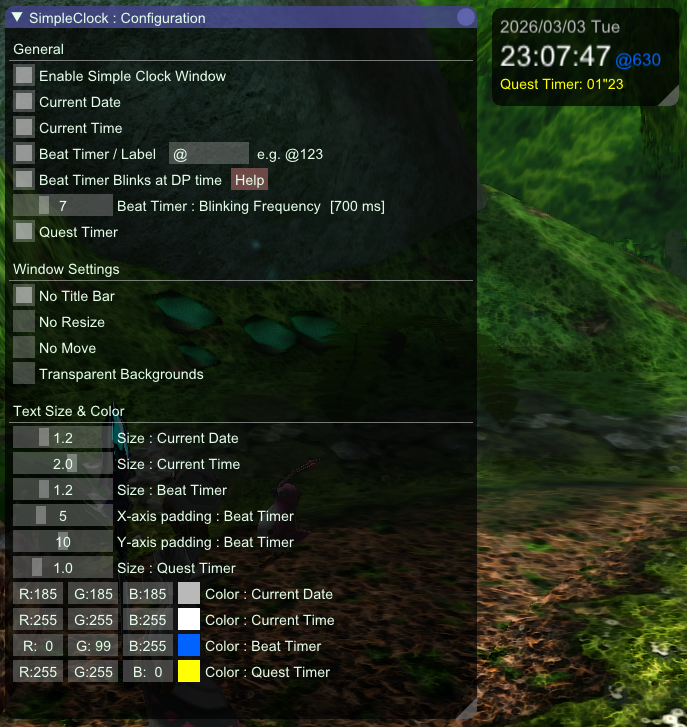
  • Beat Time (ver1.1.0 beta)

This is my first addons. If you have any problems, please post on the forum or DM on Discord.


Beta Version 1.1.0 with beat timer display function added.
(And experimentally added a function to remember window size.)
Download ver1.1.0 : https://www.mediafire.com/file/6n06gaenz25nr84/SimpleClock_v110.zip/file
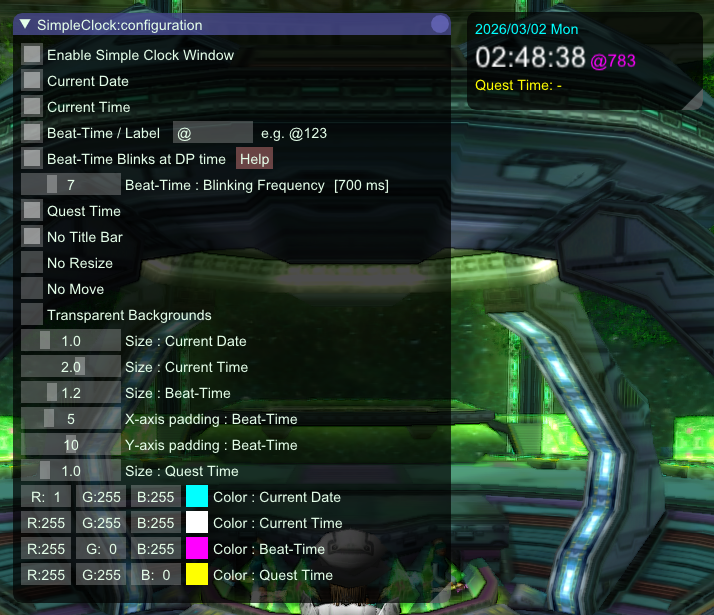
1772387401511.png


Download ver1.0.1 : https://www.mediafire.com/file/dnm1ptp6oj9n7n3/SimpleClock.zip/file
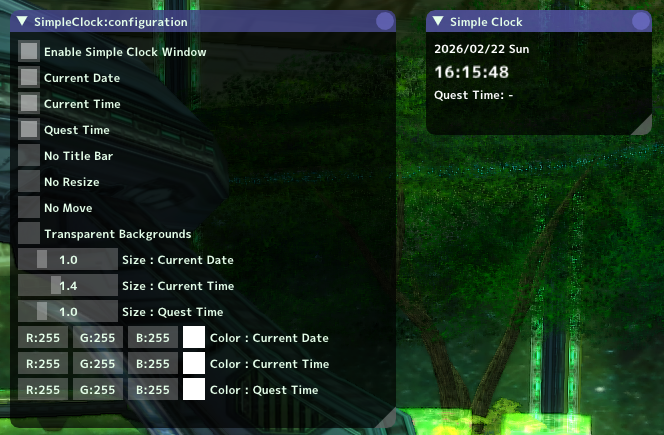
simpleclock1.png

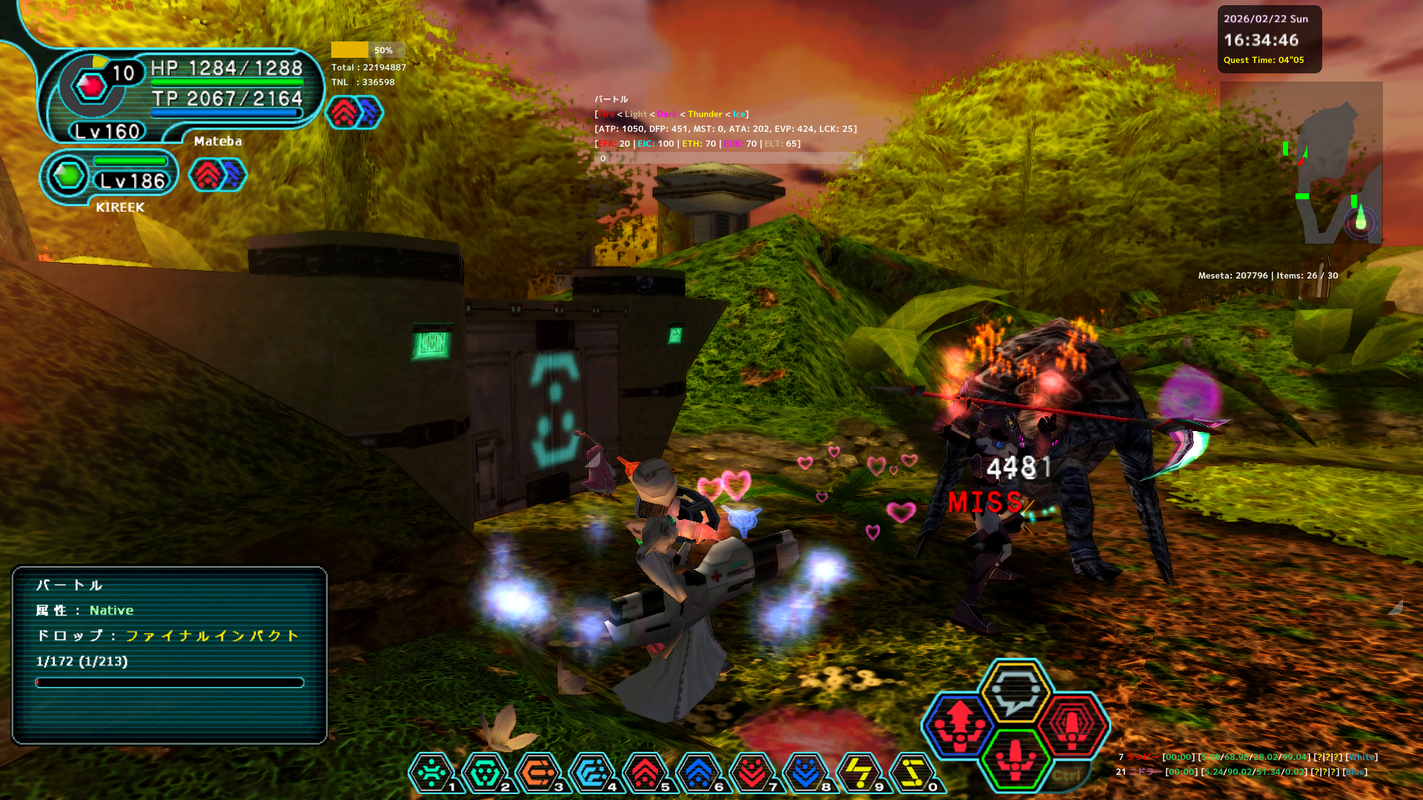
In-game sample ver1.0.0
pso134162192864042466.png


前から時間だけを表示するシンプルなアドオンないかなと思っていて、ついに作ってしまいました。
またクエスト経過時間を自動で表示してくれる機能も欲しくて追加しました。
タイマー系のアドオンは他にもありますが、自分で能動的に開始するのが面倒そうで見送っていました。

ちょっと残念な点
・文字のサイズはフォントサイズの変更ではなく表示倍率で変えるため、大きくすると滲んだ感じになります。フォントサイズの変更はフォント自体も指定する必要があり、この辺は面倒そうなので止めました。
・Quest Time(クエスト経過時間)はクエスト受注した瞬間にタイマーが起動するため、元々タイマーが表示されるクエストと比べると、多少ずれが生じます。PSO本体側で実装されているタイマーは、クエストの会話ダイアログが閉じた後に計測開始となるため、そこでずれが出ています。

 
Last edited:
Downloaded this this morning, it's great. I usually find that when I'm playing PSO and need to know what time it is, I look on my phone because my taskbar is inaccessible when PSO is open. Very handy addon.

One thing I have an issue with is the the window size not being remembered each time I start the game. It would be great if you could add some window sizing options to the setting window. The window keeps resetting a the smaller size every time I start the game, which cuts off part of the addon meaning I have to resize it each time I log in and reloading the addons doesn't fix it either.
 
Last edited:
Downloaded this this morning, it's great. I usually find that when I'm playing PSO and need to know what time it is, I look on my phone because my taskbar is inaccessible when PSO is open. Very handy addon.

One thing I have an issue with is the the window size not being remembered each time I start the game. It would be great if you could add some window sizing options to the setting window. The window keeps resetting a the smaller size every time I start the game, which cuts off part of the addon meaning I have to resize it each time I log in and reloading the addons doesn't fix it either.
Thanks for your comment!
I created this addon because I too find checking the time on my smartphone annoying.

I'm aware of issues with window sizes not being remembered. This issue occurs in my environment and is not exclusive to this addon.
Sometimes the window size is remembered properly, but the exact cause is unclear.

The framework has a function to remember window positions and sizes, not individual addons.

...\EphineaPSO\addons\imgui.ini

This file records the window position and size for each addon.
The framework's default update period for this file is 5 seconds after inactivity.

Change the window size, leave it for a while, then restart the client PSOBB app to see if the size is updated.


Additional Note

If you press "restart" in the addon menu without restarting the client app and the window size doesn't change, it's probably OK.
 
Last edited:
Thanks for your comment!
I created this addon because I too find checking the time on my smartphone annoying.

I'm aware of issues with window sizes not being remembered. This issue occurs in my environment and is not exclusive to this addon.
Sometimes the window size is remembered properly, but the exact cause is unclear.

The framework has a function to remember window positions and sizes, not individual addons.

...\EphineaPSO\addons\imgui.ini

This file records the window position and size for each addon.
The framework's default update period for this file is 5 seconds after inactivity.

Change the window size, leave it for a while, then restart the client PSOBB app to see if the size is updated.


Additional Note

If you press "restart" in the addon menu without restarting the client app and the window size doesn't change, it's probably OK.
Sadly I haven't had any luck with the window sizing resetting itself.

Still using the addon though because it's so useful!
 
Hi there! Thanks for sharing this great simple clock addon—it's really helpful!
Would it be possible to add a "beattime" display feature to this clock? Beattime is the internal game time, and it would be really useful to have it displayed alongside the regular clock. It helps to keep track of in-game time more efficiently.

I’d really appreciate it if this feature could be added. Thanks a lot!
 
Hi there! Thanks for sharing this great simple clock addon—it's really helpful!
Would it be possible to add a "beattime" display feature to this clock? Beattime is the internal game time, and it would be really useful to have it displayed alongside the regular clock. It helps to keep track of in-game time more efficiently.

I’d really appreciate it if this feature could be added. Thanks a lot!
This addon already exists.
 
This addon already exists.
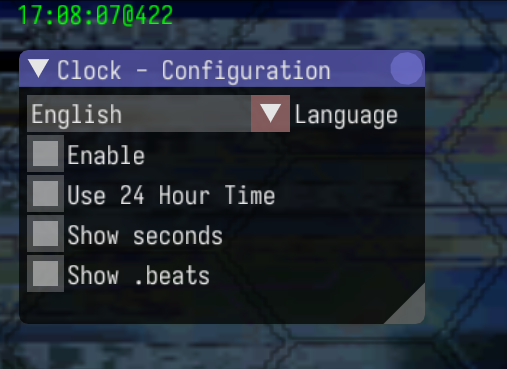
Thanks for the info! It would be great if we could have multiple time-related features bundled into a single addon, so we don’t have to install so many separate ones. Actually, I’ve even customized my own version based on the clock addon before.

1772356107936.png
 
Thank you for your comment, Hunters.

As Lilyzavoqth says, there's a "psobb-beat-timer" addon, so I think it would be best to use that in conjunction with that.
However, if all you need is to display the beat-time after the current time as in the screenshot, I'd be willing to add that feature.
 
Sadly I haven't had any luck with the window sizing resetting itself.

Still using the addon though because it's so useful!
Oh, I'm sad to hear that it didn't work in your environment.

I don't particularly like implementing framework features individually,
but I'm going to experimentally implement a window size and position memory feature in this addon.
 
I'm loving the new version! The window size is stable and remembers the new size I change it to, and the beat time (which I don't really need, as I don't use divine punishment) is great. I shall be recommending it to my friends who do!
 
Back
Top