

Galsia
Member
- Gender
- Male
- Guildcard
- 42005104
Hello, and thank you for looking at my post!
Were you traumatized by clowns as a child? Do butt-tents offend you? LOOK NO FURTHER!
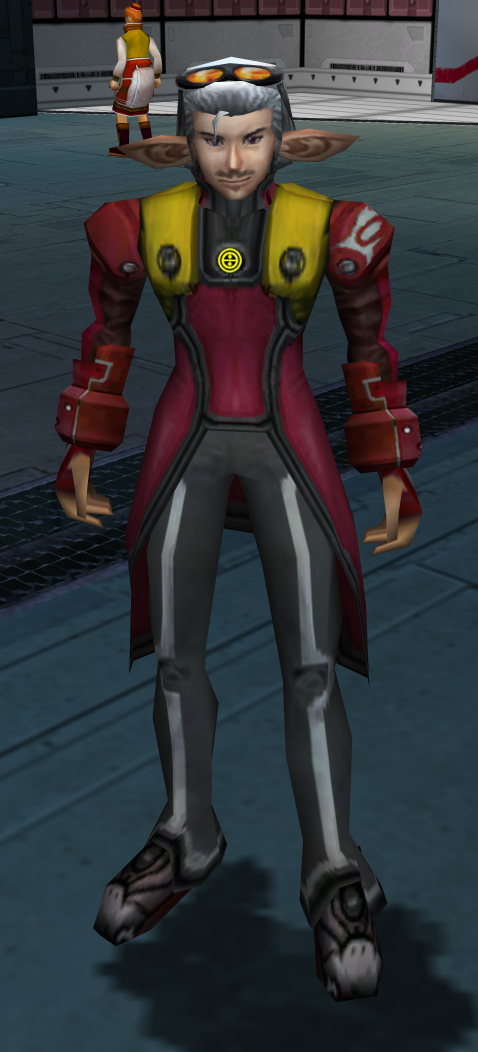
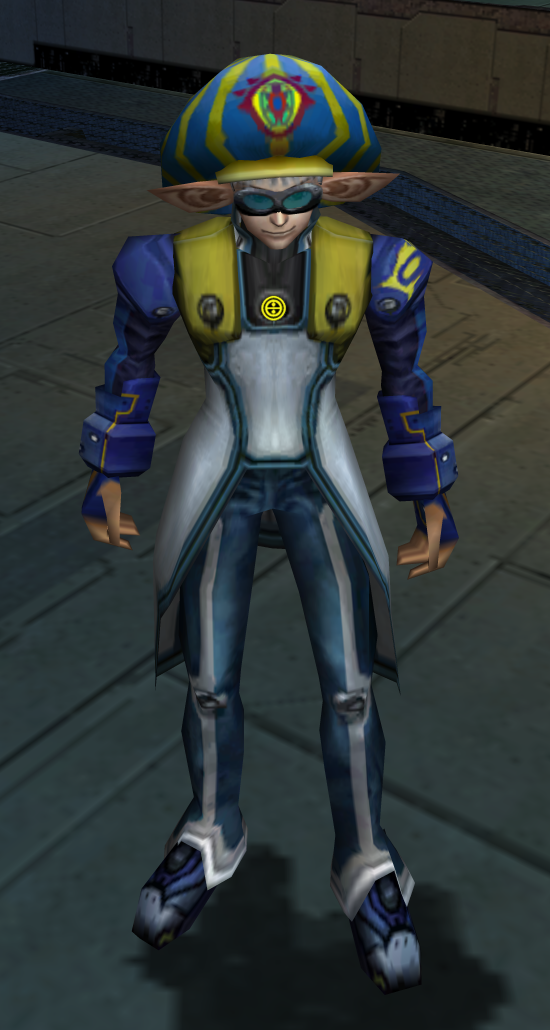
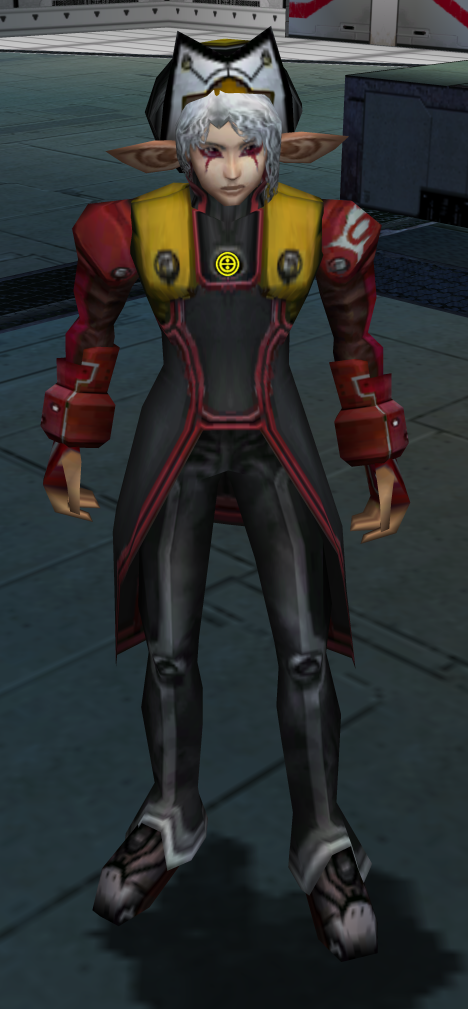
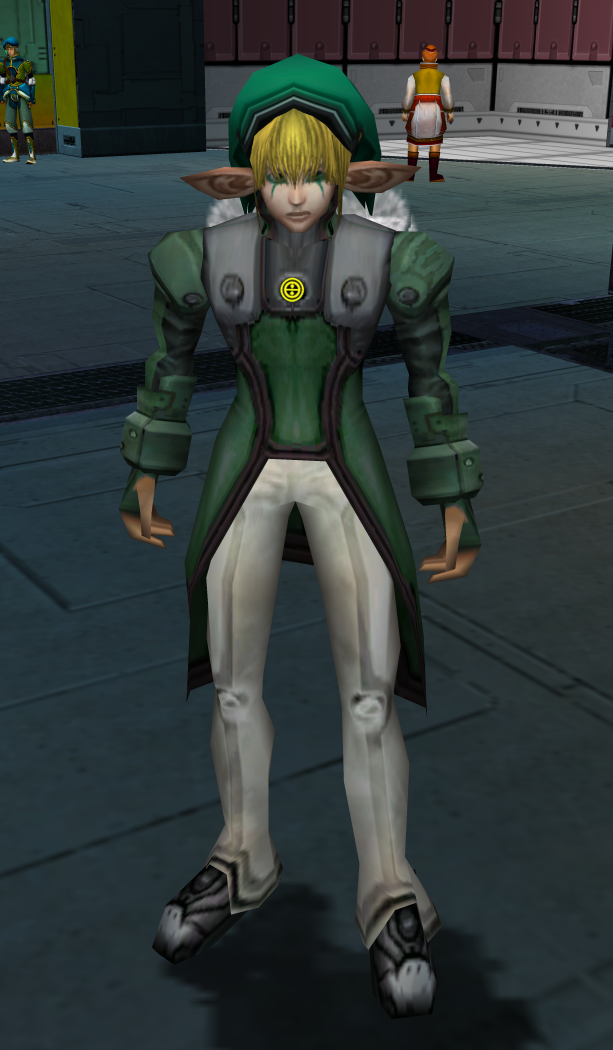
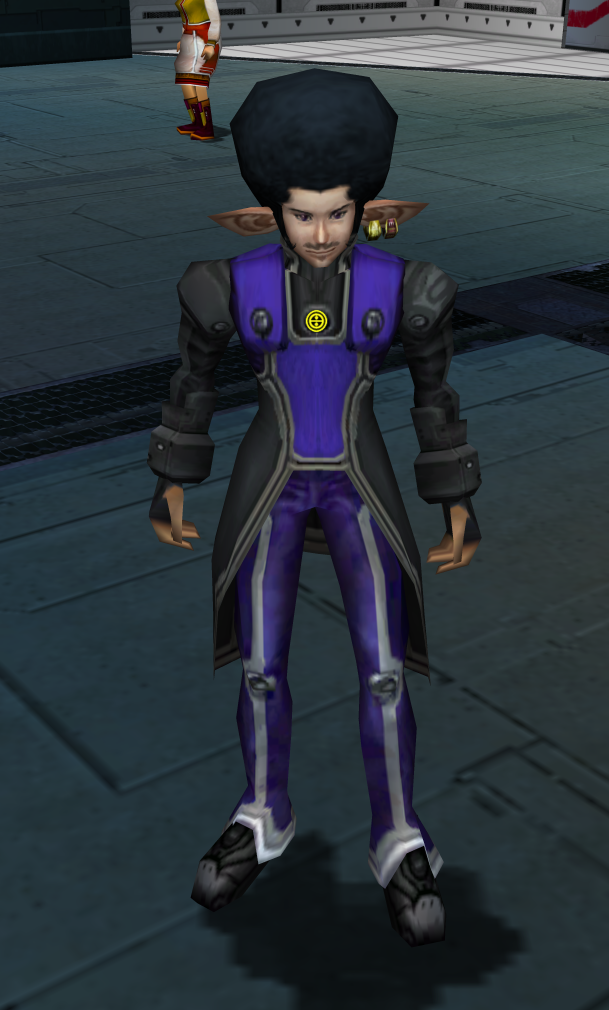
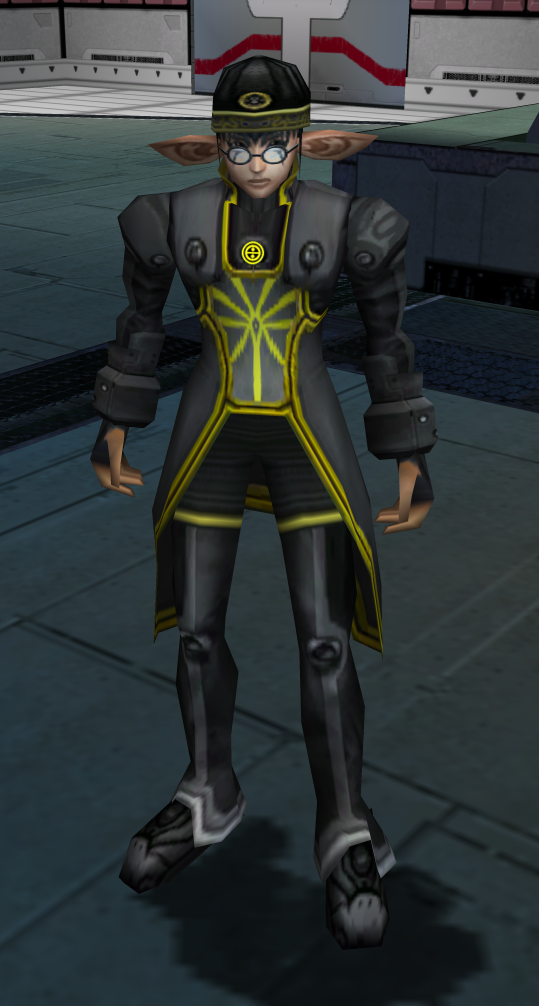
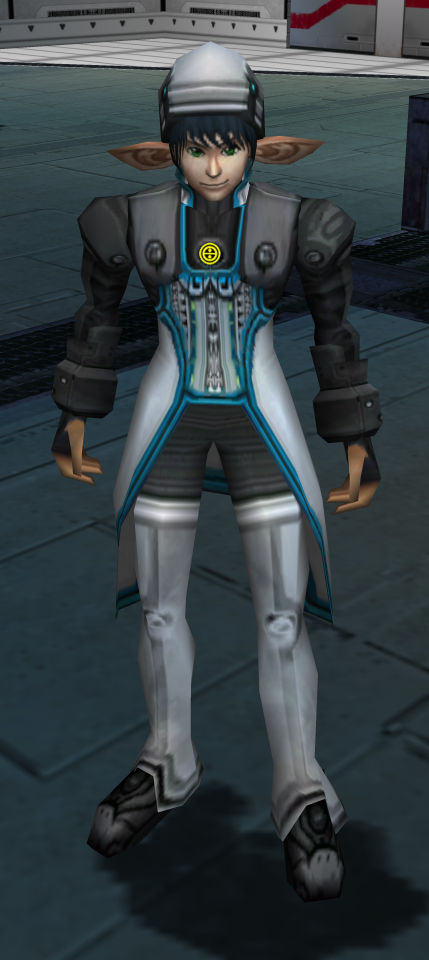
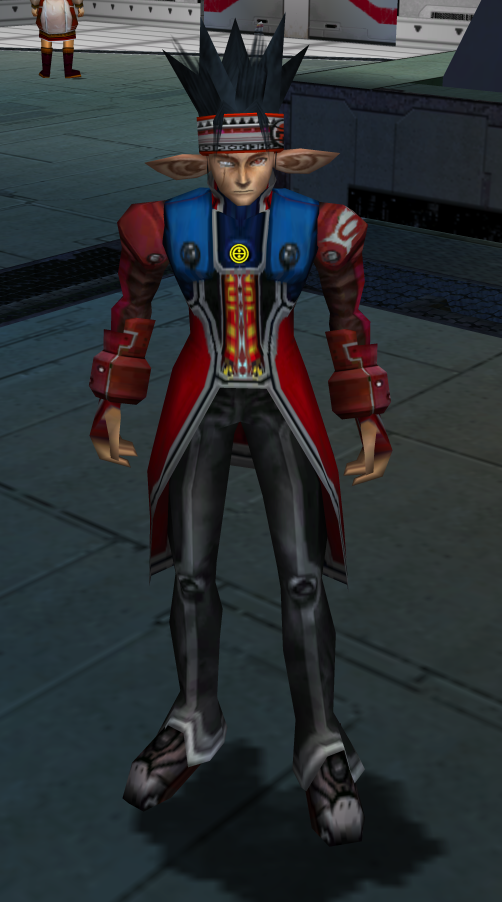
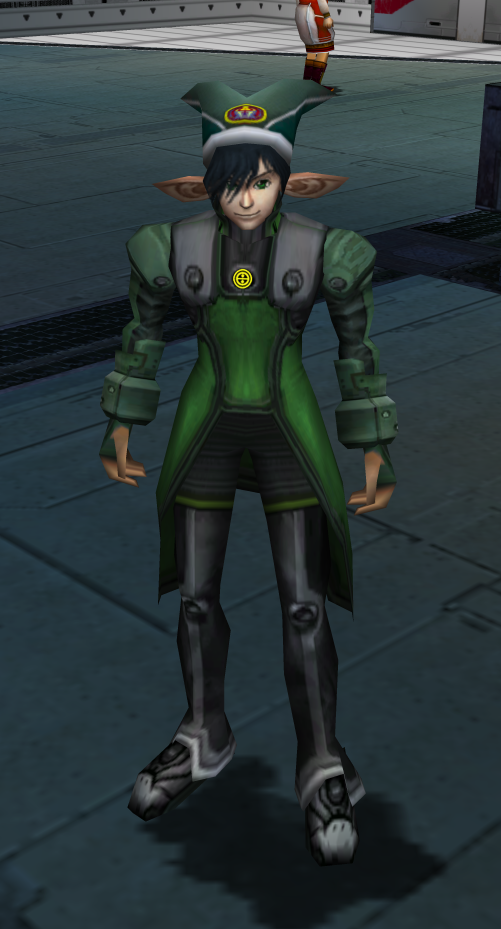
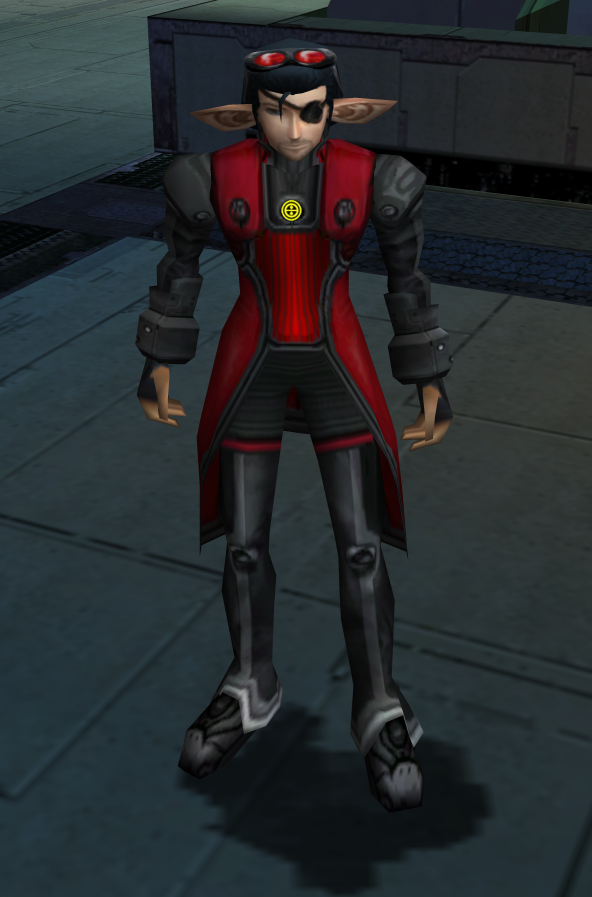
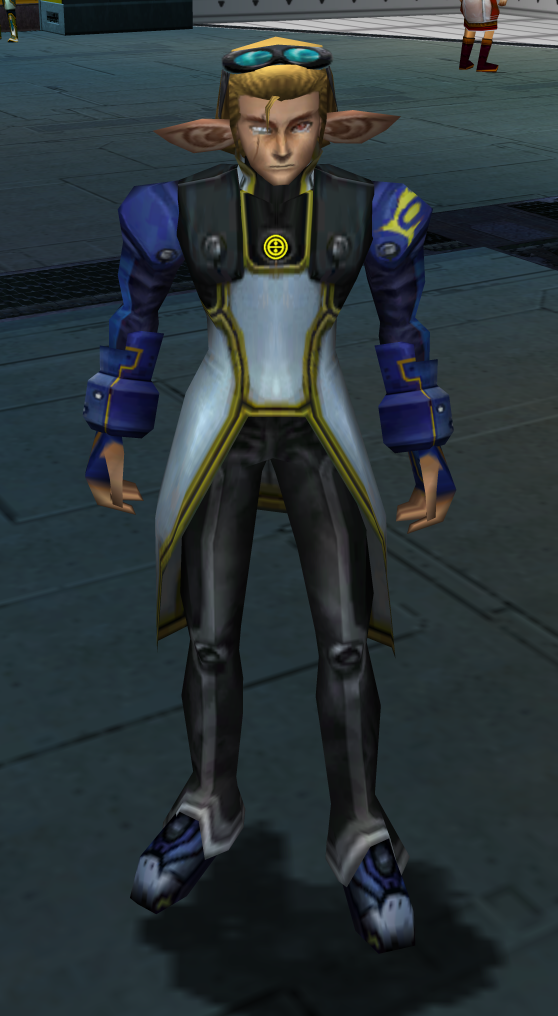
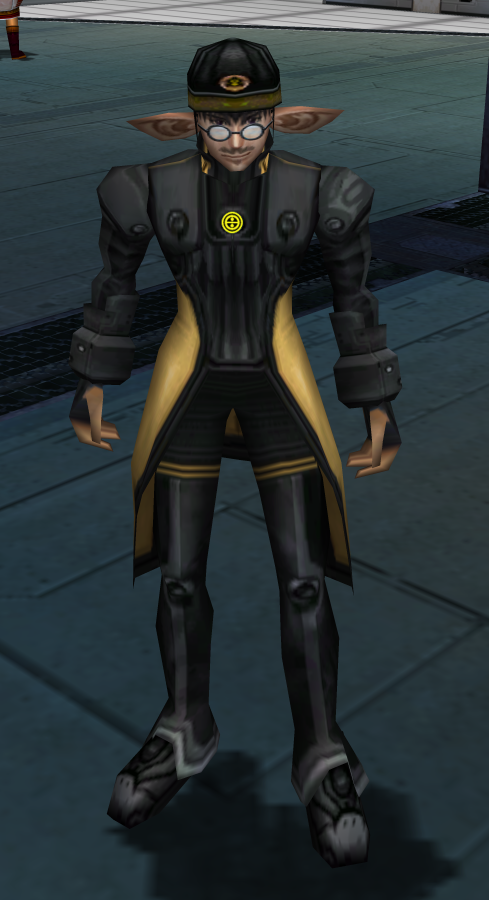
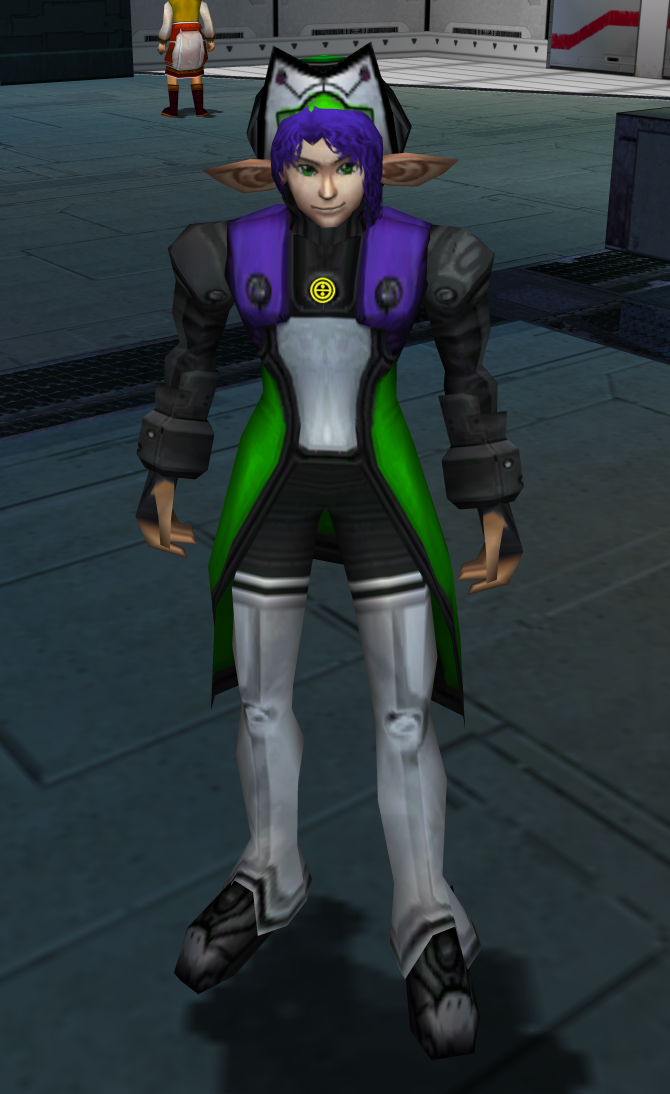
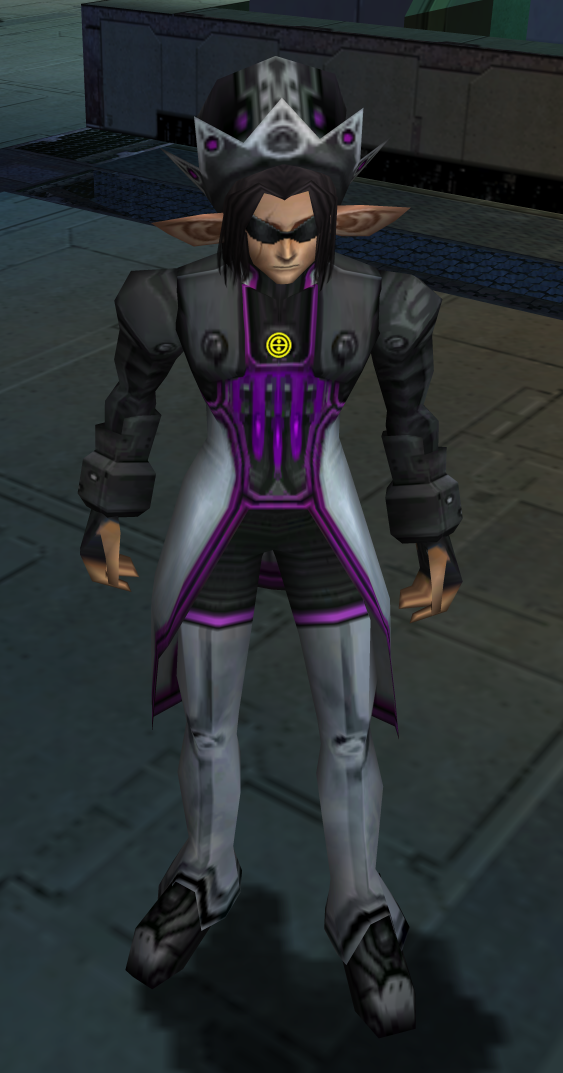
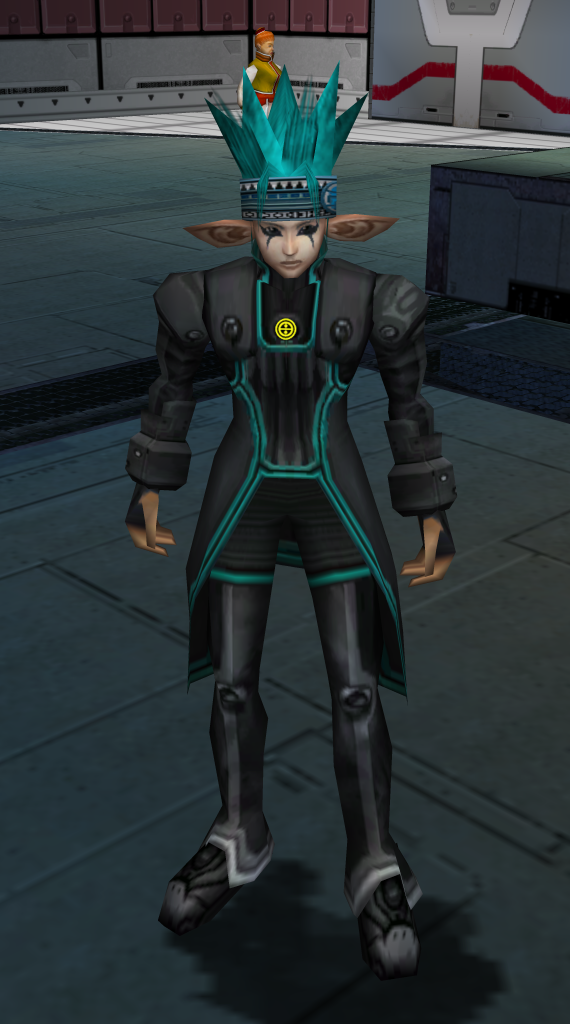
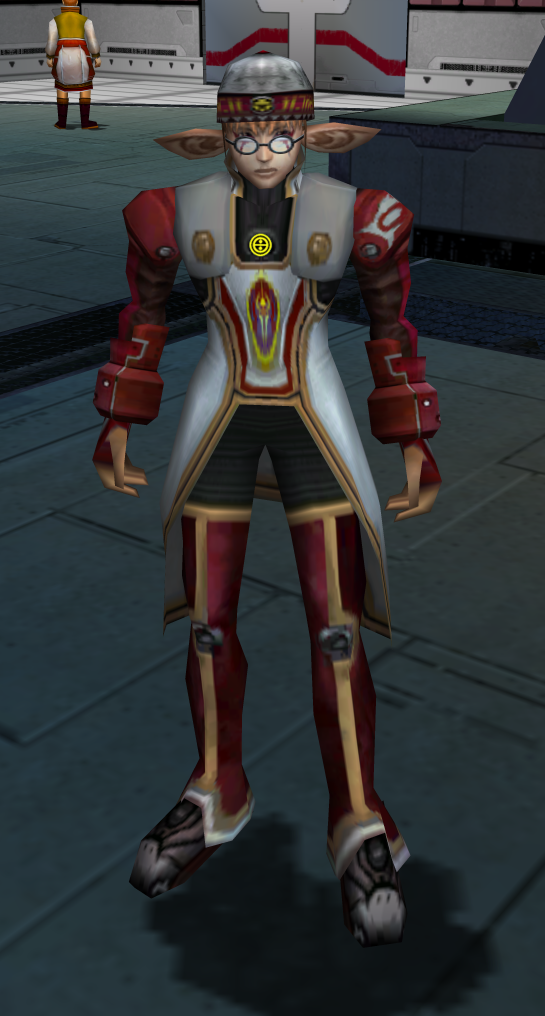
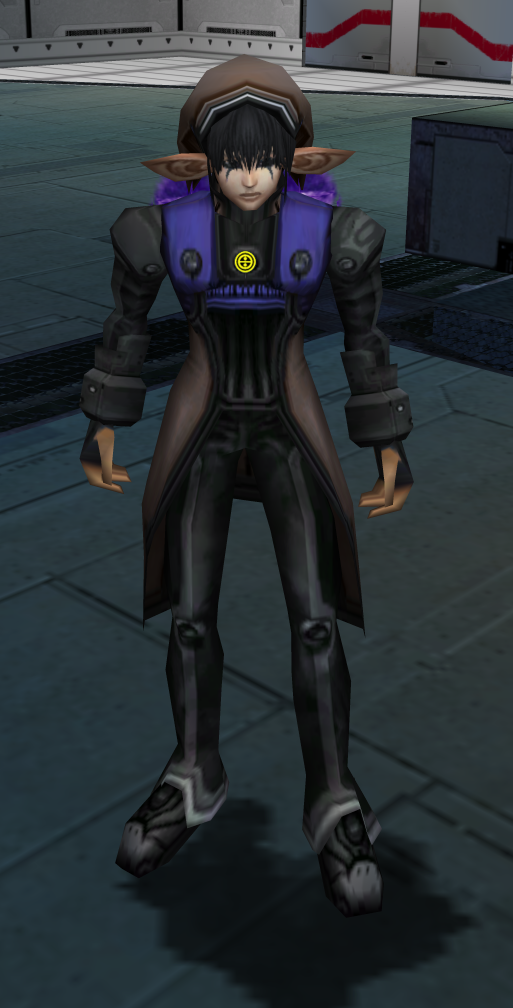
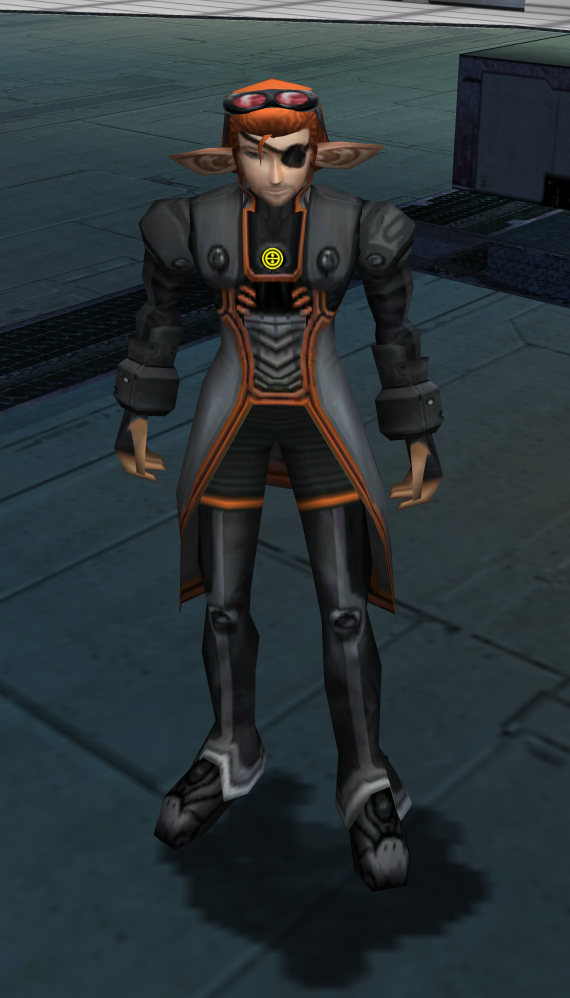
In the images above I used the sleeve color I thought best matched each costume, you can change them around as you see fit.
I hadn't used GIMP before getting into texture editing PSO, so I'm still very much a novice. However, I'm pretty happy with where it's at now. I do want to give him some different hairstyles, but that's whole other hurdle I have to figure out.
For consideration, there are a few caveats with this mod:
1.) Navigate to your data folder destination; IE: mine is D:\PSOBB Ephinea\EphineaPSO\data
2.) Please create backups of the files that you will be replacing: plHtex.afs, plZsmpnj.afs, plHbdy00.nj, and put them in a folder someplace else. I have not had any issues, though it's always sound to take this precaution.
3.) Download the files I have linked below and place them in your data folder.
Uninstallation:
1.) Put the backups you made back in your data folder.

Thanks again for checking this out! Bye!
Were you traumatized by clowns as a child? Do butt-tents offend you? LOOK NO FURTHER!
In the images above I used the sleeve color I thought best matched each costume, you can change them around as you see fit.
I hadn't used GIMP before getting into texture editing PSO, so I'm still very much a novice. However, I'm pretty happy with where it's at now. I do want to give him some different hairstyles, but that's whole other hurdle I have to figure out.
For consideration, there are a few caveats with this mod:
- Proportion adjustment does nothing, all FOnewms will be the same height/build.
- The color of your arm sleeves is tied to your skin tone, and as such I settled on one skin tone in order to offer a variety of sleeve colors. 1=Red, 2=Blue, 3=Black, 4=Green.
- I changed some of the faces as well, so your preferred choice may no longer be there.
1.) Navigate to your data folder destination; IE: mine is D:\PSOBB Ephinea\EphineaPSO\data
2.) Please create backups of the files that you will be replacing: plHtex.afs, plZsmpnj.afs, plHbdy00.nj, and put them in a folder someplace else. I have not had any issues, though it's always sound to take this precaution.
3.) Download the files I have linked below and place them in your data folder.
Uninstallation:
1.) Put the backups you made back in your data folder.
plHbdy00
MediaFire is a simple to use free service that lets you put all your photos, documents, music, and video in a single place so you can access them anywhere and share them everywhere.
www.mediafire.com
plHtex
MediaFire is a simple to use free service that lets you put all your photos, documents, music, and video in a single place so you can access them anywhere and share them everywhere.
www.mediafire.com
plZsmpnj
MediaFire is a simple to use free service that lets you put all your photos, documents, music, and video in a single place so you can access them anywhere and share them everywhere.
www.mediafire.com
Thanks again for checking this out! Bye!
Last edited:

