
rich
richy.wichy on Discord
- Gender
- Male
- Guildcard
- 42004571
- Guildcard 2
- 42069069
Making a whole thread since I might add to these or improve on them in the future. These took me minutes to conceptualize and/or modify so please understand that they will not be perfect and will likely even cause some bugs depending on the context you use them in. For example, other addon config, game settings, operating system, etc can change how these work. For that reason please always back existing files up before replacing them.
If you have any questions, please keep them to yourself I'm really not trying to put that kind of effort into this. /hj
Download
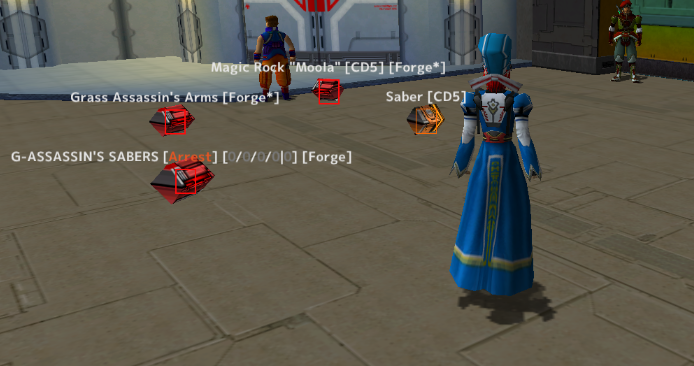
I'm tired of having to Wiki every piece of shit rare I see on the ground just in case it's used in CD5 or The Forge. This addon will append " [CD5]" to the names of Claire's Deal 5 items and " [Forge]" to Forge items, as well as " [Forge*]" to items that are not directly traded in The Forge but can turn into those items (for example, even though Syncesta and Lavis Blade are not Forge items, they will say " [Forge*]" because they are used to make Double Cannon, which is a Forge item. As always, back up your shit and use at your own risk, some of the shit I do with these addons crashes my game and if that happens to you right after a Lavis Cannon drops thenI will personally pay you 50pds if you have video evidence of it too damn bad.
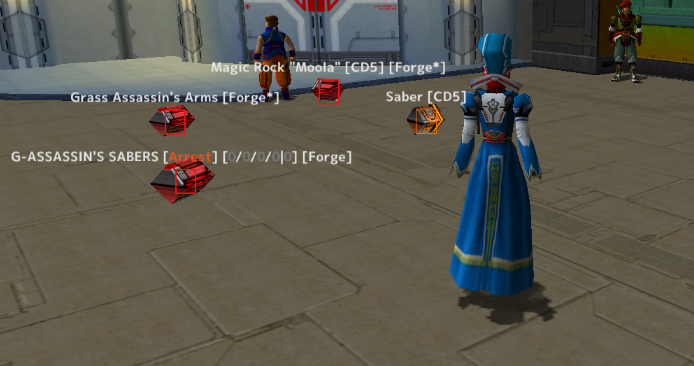
Instructions: replace the init.lua file in your addons/DropBox Tracker/ folder with the one I've provided here. Shouldn't mess with your config or anything, and will not change item visibility, only appends stuff to items that would have appeared based on your settings anyway.
I'm tired of having to Wiki every piece of shit rare I see on the ground just in case it's used in CD5 or The Forge. This addon will append " [CD5]" to the names of Claire's Deal 5 items and " [Forge]" to Forge items, as well as " [Forge*]" to items that are not directly traded in The Forge but can turn into those items (for example, even though Syncesta and Lavis Blade are not Forge items, they will say " [Forge*]" because they are used to make Double Cannon, which is a Forge item. As always, back up your shit and use at your own risk, some of the shit I do with these addons crashes my game and if that happens to you right after a Lavis Cannon drops then
Instructions: replace the init.lua file in your addons/DropBox Tracker/ folder with the one I've provided here. Shouldn't mess with your config or anything, and will not change item visibility, only appends stuff to items that would have appeared based on your settings anyway.
Download
This shit is annoying:
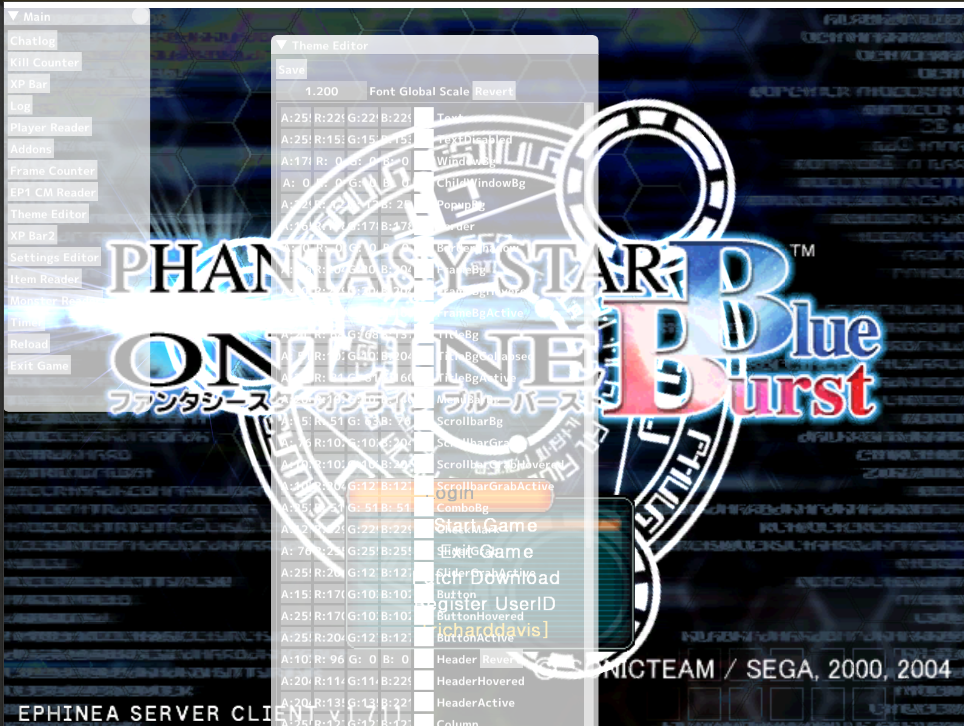
When you're in the game's main menu, the addon UI just goes all white and is hard af to see. According to Ender, Soly fixed this issue in the source code but never re-deployed a new version. I built the Release version from source and it fixes it for me. Will it do the same for you? Probably. But make sure you back up your shit first just in case.
Instructions: put the dinput8.dll and dinput8.pdb files into your EphineaPSO directory. Restart game.
This shit is annoying:
When you're in the game's main menu, the addon UI just goes all white and is hard af to see. According to Ender, Soly fixed this issue in the source code but never re-deployed a new version. I built the Release version from source and it fixes it for me. Will it do the same for you? Probably. But make sure you back up your shit first just in case.
Instructions: put the dinput8.dll and dinput8.pdb files into your EphineaPSO directory. Restart game.
I have no idea why this is not a toggleable setting by default (at least I don't think it is). Addons menu is set to always be visible when you first launch the game:
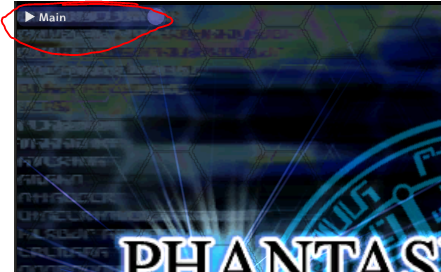
This change will make it so that it starts invisible (as if you've toggled it off with the `~ key), and it's so simple I am not even going to provide you the file just instructions on how to change it:
This change will make it so that it starts invisible (as if you've toggled it off with the `~ key), and it's so simple I am not even going to provide you the file just instructions on how to change it:
- Navigate to your
...\EphineaPSO\addons\core_mainmenu\folder - Right click the
init.luafile and open it with any text editor (like Notepad or Notepad++) - Modify the line that says
local window_open = trueto instead saylocal window_open = false - Save the file
- Restart your game if it's already running I guess
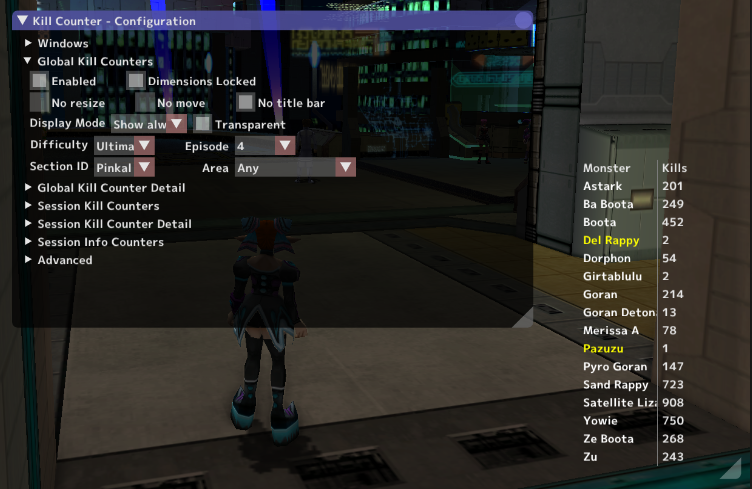
Another day another bullshit piece of shit addon change that took me like two hours when it should have taken me fifteen minutes. For some goddamn reason the kill counter addon by StephenCWills includes "Area" even though that information can be inferred 95% of the time and is basically irrelevant anyway. It also doesn't work properly but that's kinda beside the point.
This """fix""" (probably breaks some other shit but works for me) basically makes it so you don't have to select the area when you're choosing which kill counter to show (only option for Area is now "Any" because I didn't feel like removing the shit from the UI). It makes it so the addon doesn't care whether you killed a Yowie in Crater (Interior), Crater (Exterior), or Desert, it just cares that it happened in Ep4 because why would I give a shit if they have the same droprate anyway.
Oh also you'll either have to start your kill counters from scratch or do the process to reformat your EphineaPSO/kill-counters.txt file which is a pain in the ass. If anyone expresses desire to do the latter I might help.
Download
This """fix""" (probably breaks some other shit but works for me) basically makes it so you don't have to select the area when you're choosing which kill counter to show (only option for Area is now "Any" because I didn't feel like removing the shit from the UI). It makes it so the addon doesn't care whether you killed a Yowie in Crater (Interior), Crater (Exterior), or Desert, it just cares that it happened in Ep4 because why would I give a shit if they have the same droprate anyway.
Oh also you'll either have to start your kill counters from scratch or do the process to reformat your EphineaPSO/kill-counters.txt file which is a pain in the ass. If anyone expresses desire to do the latter I might help.
Download
Don't use this, they introduced the
Download
Description: I found server-wide banners annoying since they happen so often and there is for some reason no setting to disable them despite the admins already having the capability to do so. As such, this is a copy of the xpbar addon with settings changed such that there is a translucent bar at the top of your screen that will effectively hide server banners. The bar is translucent so it looks a bit less intrusive than an entirely black bar while still hiding the banner text enough that I really don't notice the banners during normal gameplay.
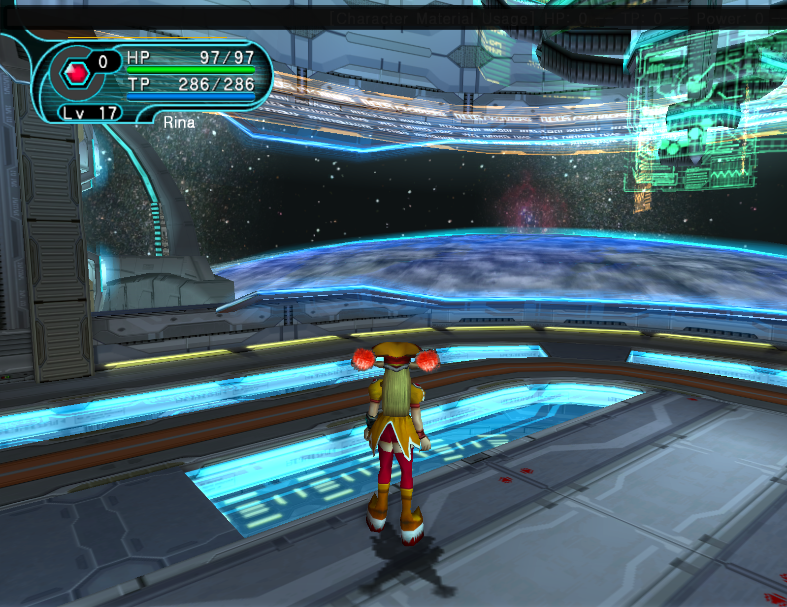
Instructions: Put the entire XpBar2 folder into your addons folder. Don't change the folder name or it won't work.
/banner chat command to disable other peoples' drop banners for yourself. Coincidence that they changed that right after I provided this workaround???? Yes actually.22948[/ATTACH]
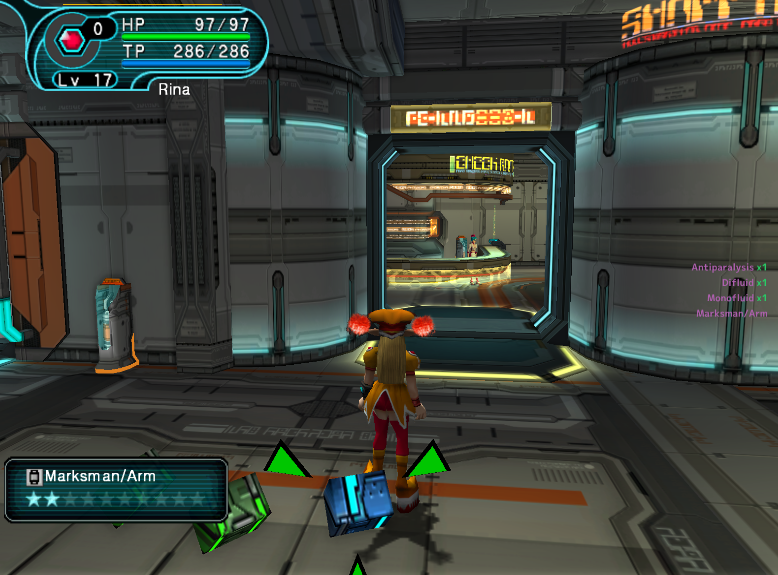
Instructions: Take the Item Reader/init.lua and solylib/helpers.lua and put them in the corresponding folders in your EphineaPSO/addons directory (replace the existing ones after backing up originals).
Instructions: Take the Item Reader/init.lua and solylib/helpers.lua and put them in the corresponding folders in your EphineaPSO/addons directory (replace the existing ones after backing up originals).
If you have any questions, please keep them to yourself I'm really not trying to put that kind of effort into this. /hj
Attachments
Last edited: