Cannot connect after updates.

en4cer

Member
Guildcard
42044057
Let us know if you encounter any issues.

I'm unable to join the game after the updates.

When I press "Start Game" in the launcher, I get the following error dialog box:
EDojiy4.png


When I click "OK" the game launches as normal, but my Title Screen displays a "! DLL ERROR !" message in the bottom left corner, and if i try to connect I get a 916 error.

I've tried multiple times to gain access with the same result every time. The Address in the error dialog box changes with every attempt.

I've also tried to use the "Patch Download" option, but was told there were no files to update.

Anyone know what I can do to fix this?
 
Last edited:
I'm unable to join the game after the updates.

When I press "Start Game" in the launcher, I get the following error dialog box:
EDojiy4.png


When I click "OK" the game launches as normal, but my Title Screen displays a "! DLL ERROR !" message in the bottom left corner, and if i try to connect I get a 916 error.

I've tried multiple times to gain access with the same result every time. The Address in the error dialog box changes with every attempt.

I've also tried to use the "Patch Download" option, but was told there were no files to update.

Anyone know what I can do to fix this?
I'm in the same situation.
I'm using an Intel Mac and can't use Steam, so I was playing through a simple dedicated launcher,
but after this update, I'm getting the same error and can no longer play.

*Extra
After making this post, I spent a considerable amount of time researching other methods,
but no matter what I do, I can't play anymore. I'm very sad because Ephinea has been a great stress reliever for me lately.

BTW... I have an iPhone 17 Pro Max, and I thought maybe I could do something with that...
but no, that would probably just make things more difficult lol

Here is the environment I'm using
 
Last edited:
I have the same issue when trying to play through Winlator on Android. Did a fresh install, allowed dll's in libraries, tried different settings for the container itself but still facing the 916 error.
 
I have the same issue when trying to play through Winlator on Android. Did a fresh install, allowed dll's in libraries, tried different settings for the container itself but still facing the 916 error.
I have the same exact problem, tried everything I could and multi versions Winlator, always getting the 916 error after the updates.
 
Full disclosure:

For years, we used to use VMProtect to protect parts of the code in the DLL.

We haven't been able to update VMProtect since shortly after the Ukraine war started due to the whole thing with US + Russia sanctions and VMProtect blocking US/UK purchasers from buying or updating the product. (VMProtect is created by a Russian developer, actually.)

We decided to move to another solution, Themida, for protection, which we did in the last update.

For the majority of users, this hasn't been a problem. The situations in which Ephinea doesn't launch with Themida are niche at best. e.g. Winlator on Android, Intel Mac with a launcher, etc.

I've got a Windows machine I can run VMs on as well as an M4 Mac that I can run VMs on, so I can set up a Linux build or whatever, if that works.

For me, my testing with DLL updates is generally: "Works on x86 Windows? Yep. Works on my M4 Mac running a Windows VM with free version of VMware Fusion? Yep. OK, ship it." Linux and whatever other setups are community supported and not something we, as the Ephinea developers, officially support. Even though Matt created a guide for getting things to run on Linux, Linux and other non-Windows setups are NOT officially supported by Ephinea developers, but we try to help get things going whenever possible.

That said, if anyone has a quick way to reproduce this issue that is somewhat easy, I can try to play with options that Themida has and see which one is causing the problem. I've already allowed the program to run under a VM, so it's not that.

Failing to get a quick reproduction going on my end, perhaps there is someone with one of these setups who may be available for me to test different compilations of the DLL with options toggled on or off to see if the error message goes away.

Will look into it further when I have either one of those things.

 
Full disclosure:

For years, we used to use VMProtect to protect parts of the code in the DLL.

We haven't been able to update VMProtect since shortly after the Ukraine war started due to the whole thing with US + Russia sanctions and VMProtect blocking US/UK purchasers from buying or updating the product. (VMProtect is created by a Russian developer, actually.)

We decided to move to another solution, Themida, for protection, which we did in the last update.

For the majority of users, this hasn't been a problem. The situations in which Ephinea doesn't launch with Themida are niche at best. e.g. Winlator on Android, Intel Mac with a launcher, etc.

I've got a Windows machine I can run VMs on as well as an M4 Mac that I can run VMs on, so I can set up a Linux build or whatever, if that works.

For me, my testing with DLL updates is generally: "Works on x86 Windows? Yep. Works on my M4 Mac running a Windows VM with free version of VMware Fusion? Yep. OK, ship it." Linux and whatever other setups are community supported and not something we, as the Ephinea developers, officially support. Even though Matt created a guide for getting things to run on Linux, Linux and other non-Windows setups are NOT officially supported by Ephinea developers, but we try to help get things going whenever possible.

That said, if anyone has a quick way to reproduce this issue that is somewhat easy, I can try to play with options that Themida has and see which one is causing the problem. I've already allowed the program to run under a VM, so it's not that.

Failing to get a quick reproduction going on my end, perhaps there is someone with one of these setups who may be available for me to test different compilations of the DLL with options toggled on or off to see if the error message goes away.

Will look into it further when I have either one of those things.
It's quite easy to get it setup and ready to go if you have an Android device.

This guide works well enough:


Or


I already have it setup, so if there's anything I can help I don't mind!

Thanks for the support!
 
I don't have an Android phone or device.
I don't really have much experience with this type of development but if you want and have the time, I can assist you if you want to test different versions of the dll.

What I can gather by reading about Themida, it's really good at detecting if a VM or emulator is used and flags/blocks it for not being a "true" Windows system. I will continue to try and mess around with different things within the Wine library and different containers setups.
 
It's quite easy to get it setup and ready to go if you have an Android device.
Unfortunately I don't own any android devices either.

I guess I'm never going to be able to play again, which is a real blow because I really like this community and the game itself.
 
I don't really have much experience with this type of development but if you want and have the time, I can assist you if you want to test different versions of the dll.

What I can gather by reading about Themida, it's really good at detecting if a VM or emulator is used and flags/blocks it for not being a "true" Windows system. I will continue to try and mess around with different things within the Wine library and different containers setups.
On Android devices it loads the DLL file (at least I don't see any errors), but then it must be failing some checking this new DLL with Themida does.

Don't know if it's possible to make the same DLL with some kind of logging to see what check is failing.
 
I haven't encountered any errors either in that sense. I can see that the correct version is loaded in the client. My guess is that it could be a failed hook in the dinput8 but I have already tried changing that to Native, Native then Builtin etc.

I have also tried a couple of different Containers with different settings but still unsuccessful. I'll keep trying and I'll let you know if I manage to get past the 916 error.
 
Updated DLL (v1.855) with some different tech. en4cer was able to successfully get into the game afterward. Hoping it also works for others.
Hi,

The "normal" setup didn't work with 1.855 or 1.856 (for me).

I said.. screw it and went back in time to this Winlator 7.0 ( https://github.com/brunodev85/winlator/releases ) and it connected using 1.856!

I will test the next versions to see in which one it stops working and report back.


Thank you for all the support!
 
Yeah, I don't know anything about that, hopefully you can figure out which version of Winlator breaks it.

I know with the changes to the DLL, en4cer and MoonWalker both can connect and play now. (Spoke to them both in DMs.)

Thanks for finding that out for others, though!
 
Just to update and for any Android user out there that may have the 916 error:

This version works (last one I could find that has shortcut to use with ES-DE):

Note: I had troubles with the controls, but might just be because of my device.

Or this version:

Using:
Box64 version 0.3.4
DXVK version 2.4.1
Turnip 24.1.0 or 25.0.0
Box64 preset: Intermediate

From this last repository any version above 10.0 gives the 916 error and version 8 and 9 didn't even launch the game).

Hope this helps some Android users out there!

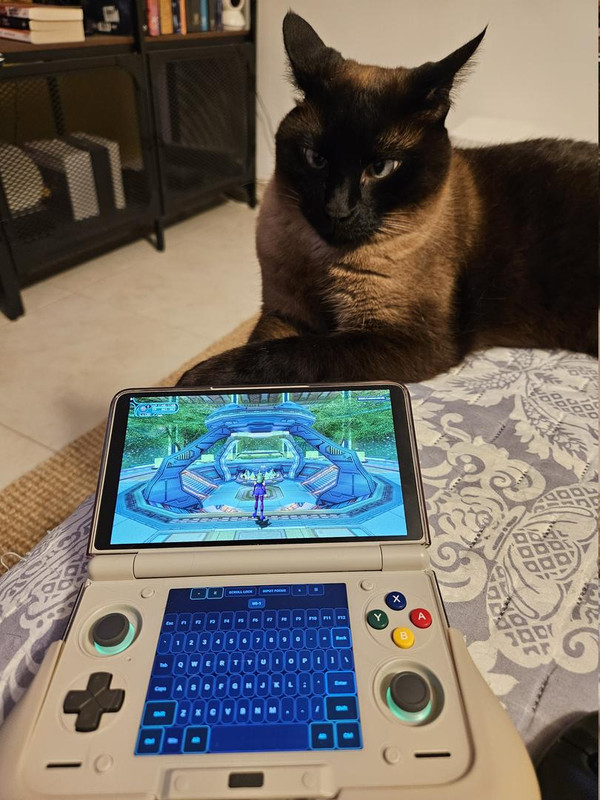
Also have a cat pic with my setup:
20260423-212500.jpg
 
Back
Top